What Is Parrot Dance AI? The Bam Bam Trend, Explained
Parrot Dance AI is the AI-made version of the late-2026 Jamaican Bam Bam pet trend: what the videos show, where it came from, and how a photo becomes a dance.
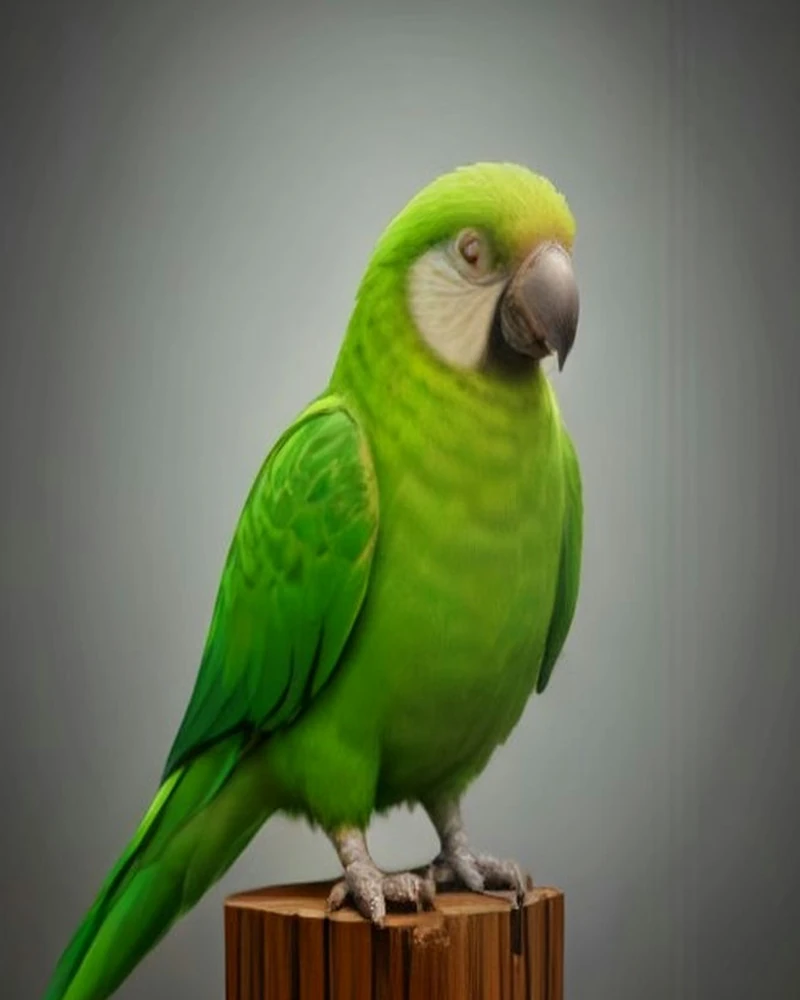
Parrot Dance AI is the AI-made version of the late-2026 "Jamaican Bam Bam" pet trend: green parrots dance in a barn, and AI makes a pet photo dance to the same beat — a vertical video as long as the dance clip, up to 15 seconds on Standard or 30 on Premium.
Search the phrase and you get three different products wearing the same name: a general-purpose AI video generator with a parrot-shaped landing page, a fixed-scene template that drops a pet into the same barn every time, and a tool that lets you choose the dance. They share a format — one bird as the protagonist, a hard beat, a clip short enough to loop — and they differ in how much of the dance you actually control.
Key facts
- What it is: a 9:16, 720p MP4 of a parrot dancing, generated from one photo and one dance clip — as long as the clip: up to 15 seconds on Standard (Seedance 2 Fast) or 30 on Premium (Seedance 2.5).
- The trend: the "Jamaican Bam Bam" pet trend — green parrots, a rustic barn, wing waves, tail sways, head bobs and a group finale.
- The mechanism: the photo supplies identity, the dance clip supplies motion.
- The templates: four bird-body routines — Party Strut, Bam Bam Bounce, Wing Flare, Tail Sway — or your own MP4 or MOV clip of 2–30 seconds, up to 40 MB. Party Strut (11s) and Tail Sway (13s) run on either tier; Bam Bam Bounce (19s) and Wing Flare (20s) need Premium.
- The price: Standard costs 5 credits per output second; Premium costs 2. A 13-second dance costs 65 credits on Standard or 130 on Premium. Packs: 100 credits for $10.00, 240 for $20.00, 650 for $50.00, one-time; credits do not expire and failed renders are refunded.
- The audio: templates ship royalty-free music; the original Jamaican Bam Bam recording is not licensed, so you add the trend sound inside TikTok or Instagram.
What "parrot dance" actually refers to
"Parrot dance" is not one video, one song, or one piece of choreography. It is a family of short clips that share a sound, a set and a vocabulary of movement. The visual grammar is consistent across the pages we checked for this article: green parrots, a wooden barn, warm string lights, wing waves, tail sways, head bobs, a group finale, and a dancehall beat underneath it all.
Most of the trend clips look like phone footage rather than studio productions. That matters for two reasons. First, it means the format is easy to recognise and cheap to copy, which is part of why it spread. Second, it means the bar for a convincing imitation is low enough that a generated clip can sit next to a filmed one in the same feed without looking out of place.
The AI versions split into two families. Prompt-based generators ask you to describe the scene in words; you get a parrot-shaped video, but not your parrot. Reference-based tools take a photo of your bird plus a short clip of a dance, and use the photo for identity and the clip for motion. This site is the second kind. The distinction is the whole product: a prompt can produce a dancing parrot, but only a reference can produce your parrot doing a specific dance.
One difference is worth knowing up front. A fixed-scene template moves your pet into its barn. Our render stays close to the photo you supplied — your perch, your room, your light — because identity includes the setting. The dance clip is the only thing that comes from somewhere else.
The trend, dated: what we can and cannot verify
Everything in this section comes from pages and posts we opened on 7 November 2026. We found no reliable public measurement of search volume or view counts for this term, so this article quotes none. If a page offers a precise figure without naming its source and date, treat it as marketing rather than research.
| Date | Source | What it establishes |
|---|---|---|
| 21 Sep 2026 | Instagram, @perowithus | An early post using the phrase "Ultimate Parrot Dance ai Trend" — the earliest dated mention we found in this research. |
| Nov 2026 | media.io parrot dance generator page | Describes the format as a pet photo turned into a green-parrot, barn-and-flock dance video, and answers basic questions in an FAQ. |
| Nov 2026 | Dreamina parrot dance page | Ties "Parrot Dance AI" directly to the "Jamaican Bam Bam Pet Trend" in its page title and description. |
| Nov 2026 | Motion Transfer parrot dance page | Sells the template version: one photo into a fixed barn scene with your pet in the front row, silent output, three price tiers. |
| Nov 2026 | TikTok, @briar401 | Posts "Apex Parrot Dance Trend" clips of a parrot bobbing to music, tagged #apex #fyp #parrot #dancetrend. |
| Nov 2026 | TikTok, @zairypertuz | Teaches the human version of the "Jamaican Bam Bam" dance, the same record the pet clips use. |
We can date the artefacts. We cannot date the origin, and no source in our research does. The trend is usually described as a late-2026 phenomenon; the earliest dated post we found is from 21 September 2026, and we are not claiming that is where it started.
One more clarification, because it causes most of the confusion around the term: "Jamaican Bam Bam" is the dancehall record the clips are cut to, not a fixed routine. The trend is a set of visual and rhythmic conventions around that sound. That is exactly why it transfers to AI so easily — the model does not need to learn a choreography, only a style of movement and a beat.
The dance, movement by movement
Strip away the barn and the beat, and the routine is five moves. Each one maps to something a parrot's body can actually do, which is why the trend survived being translated into AI.
| Move | What the audience sees | Why a bird can do it | Template that captures it |
|---|---|---|---|
| Bounce | Head and chest dip on every "bam bam" beat | Parrots bob their heads when excited or seeking attention | Bam Bam Bounce |
| Wing wave | One wing lifts, folds, then the other, in time | A wing held open and folded back reads as a wave on a bird | Wing Flare |
| Tail sway | Body shifts left and right, tail fan swinging behind | Tail movement is part of normal parrot balance and display | Tail Sway |
| Headbang | Sharp nod forward, crest snapping down and up | Crested species throw the crest when excited, which is the same motion | Bam Bam Bounce |
| Finale | Spin, wings out, hold on the last beat | A hop-and-turn is well inside a parrot's range of movement | Wing Flare |
Every move is a loop. That is the design constraint the whole format obeys: any two seconds of the routine have to look like the two seconds on either side of them, because the video is going to be watched several times in a row by someone scrolling. The bounce is the safest loop, which is why it is the template we recommend first; a spin is the only move that breaks it, and it only works at the end.
A typical cut — the shortest of our templates runs 11 seconds — has the same shape, and the timings below are approximate, because the clip sets the beat rather than a clock.
- 0.0–2.0s: the bird settles, faces the camera, and lands the first two bobs on the beat.
- 2.0–4.5s: the wing flare — one wing opens, folds, then the other.
- 4.5–7.0s: the sway, with the body and tail moving against each other.
- 7.0–10.0s: the head bob, or the party steps if the clip has them.
- 10.0–11.0s: a hold on the last beat, so the loop has a clean seam.
If you watch a dozen of these clips back to back, you will notice that the ending is what separates a good one from a forgettable one. A clip that stops mid-move feels cut off; a clip that lands and holds feels intentional, even when the bird is not real.
Why parrots, and not dogs or cats
The obvious answer is that a parrot dancing is funny. The useful answer is that parrots are unusually well suited to a low-resolution, fast-scrolling video format, for three reasons and one comic one.
The silhouette reads at thumbnail size
A parrot's outline changes when it moves. The crest goes up, the tail swings, the wings open. A dog or a cat standing still and a dog or a cat mid-step often keep almost the same silhouette at 200 pixels wide; a cockatoo with its crest down and a cockatoo mid-headbang do not. Movement that changes the outline is movement the viewer can read without concentrating.
The plumage gives the model something to hold onto
Green feathers against warm barn wood make a strong colour contrast, and parrot plumage is full of distinctive detail: barring on a budgie, a cheek patch on a cockatiel, an eye ring on a conure, a bare white face on a macaw. Those details are what makes the generated bird recognisable as yours. They are also, as the limitations section below explains, the first thing to drift when the render is working from a weak photo.
Parrots already move to a rhythm
Anyone who lives with a cockatiel or a cockatoo has seen the head bob: a slow, deliberate dip that looks like the bird is keeping time. Parrots also lift and fold their wings in display, flick their tails, and shift their weight from foot to foot. The trend did not teach parrots to dance. It noticed that they already do something that reads as dancing, and put a beat under it.
The comic reason has nothing to do with anatomy. A bird doing a club dance is absurd without being cruel. The joke does not depend on the animal being uncomfortable, dressed up, or startled, which is the line we did not want to cross. The worst thing that happens to the parrot in a generated video is that it looks a bit silly.
How the AI version works
A render takes five steps. Two of them are yours.
- The photo. One parrot, whole body in frame, eyes and beak sharp, no other birds. JPG, PNG, WebP or HEIC up to 10 MB is accepted; a phone photo in good light is enough. The photo is the identity reference: species, feather pattern, beak shape, eye ring, crest and background all come from here.
- The dance. Pick one of the four templates — Party Strut, Bam Bam Bounce, Wing Flare or Tail Sway — or upload your own clip. A template is an 11–20 second bird-body reference clip; your own clip can be MP4 or MOV, 2–30 seconds and up to 40 MB, in one continuous shot. Clips over 15 seconds — including the 19- and 20-second templates — require Premium; anything up to 15 seconds can render on Standard at 5 credits per second or Premium at 10. The templates are credited third-party AI-generated parrot-dance reels used as motion references, with their original audio replaced by our royalty-free beat — placeholder footage until we ship our own renders.
- The render. The model receives both inputs at once. The photo is attached as an image reference, the dance as a video reference, and the output is a 720p, 9:16 MP4 as long as your dance clip — up to 15 seconds on Standard or 30 on Premium. There is no length picker, no prompt to write and no timeline to assemble.
- The audio. The template carries a royalty-free music track, and the render keeps that track. The output has no watermark.
- The delivery. You download the MP4 and post it. Standard charges 5 credits per output second and Premium charges 2 — a 13-second dance costs 65 credits on Standard or 130 on Premium — credits do not expire, and a render that fails is refunded automatically.
It helps to be precise about what the model is doing, because the marketing around this category is vague. It is not a filter and it is not a face swap. Nothing is being pasted onto real footage of your bird. The model is synthesising new frames in which a bird that looks like yours moves in a way that resembles the clip. That is why it can make a parrot dance without ever having filmed it, and it is also why the result is an approximation rather than a copy. The technical explainer covers the two-input model, the difference between reference mode and first-frame mode, and the specific artefacts that come out of each.
What the AI version will not do
The honest version of this section is more useful than a feature list, because most disappointment with AI dance videos comes from expecting something the model was never able to deliver.
| Limitation | What you may see | Why |
|---|---|---|
| Motion is an approximation | The dance reads as the template, but the timing is close, not exact | The model is re-synthesising a bird, not tracking your bird's skeleton |
| Plumage and lighting drift | A cheek patch moves a few pixels; feathers look brighter or cooler | Every frame is generated, so small details are re-drawn rather than copied |
| Human moves become bird ones | An arm wave becomes a wing lift | A bird has wings, not arms; the templates encode the bird equivalent of each human move |
| One bird only | No flock, no second parrot; a photo with two birds may produce a stray | The product accepts one bird per photo, and the prompts lock the count |
| No people | No owner, no hands, no cameo | Out of scope: this is a parrot tool, not a general deepfake tool |
| No trend audio | The render carries royalty-free music, not the Bam Bam record | The original recording is not licensed to us; you add it on the platform, where the sound stays with its owner |
If a tool in this category promises an exact copy of your bird performing any dance, be sceptical. The reasonable promise is a recognisable bird, a readable dance, and a file you can post — which is what the short-clip format is designed to deliver.
Three ways to make one
| Route | What you need | Time | Cost | Main limitation |
|---|---|---|---|---|
| Film it yourself | A parrot willing to perform, a phone, treats, patience | An afternoon of retakes | No tool cost if you own the phone | Most parrots will not dance on cue for a dozen seconds |
| Edit existing footage | Footage of your bird moving, an editing app | 30–60 minutes | An editing app subscription, if you need one | You need the footage before you can start |
| Generate from a photo | One photo, one template or clip | A few minutes | From $10.00 for 100 credits | The motion is an approximation, not a recording |
Filming is the most convincing route and the least reliable one. Parrots are not cooperative performers, so getting one good take takes an afternoon of retakes. Editing existing footage works if you already have a clip of the bird bobbing, but it cannot make the bird do a dance it was not already doing.
Generating is the route for the photo you already love: the bird on its perch, in good light, at the angle you like. You do not need a video of it dancing, and you do not need it to cooperate. The trade is realism for control, which is a fair trade for a short joke. If you want the exact walkthrough, the step-by-step tutorial covers photo selection, template choice, failure modes and a publishing checklist; the template library has the four routines.
How to tell a generated parrot dance from a real one
This is not a moral test. Generated clips are fine to post, and most people will not care. But if you are curious, or if you want to avoid reposting a fake clip as real, there are five reliable tells.
- The feet. A real parrot grips its perch with two toes forward and two back. A generated one often slides, floats, or grips a perch that bends under it.
- The feather edges. Look at the wing tips and the end of the tail during fast movement. Real feathers separate into individual tips; generated ones melt, duplicate or smear into a soft edge.
- The beak and eye ring. These are small, high-contrast features, and they are where the render has the fewest pixels to work with. The shape usually holds; the sheen and the fine edge do not.
- The background. Barn planks, string lights and cage bars are straight lines. Straight lines near a moving bird are where you will see warping, bending or a light that drifts between frames.
- The sync. Watch the moment the beat lands. Real footage can be cut to the beat exactly; a generated clip often lands a frame or two late, which reads as the bird reacting to the music rather than hitting it.
None of those tells makes a clip bad. They are the signature of a model doing something genuinely difficult, and knowing them is the difference between enjoying the format and being fooled by it. If you post generated clips, label them where the platform asks you to; the honest version of the trend is more durable than the pretend one.
FAQ
Is Parrot Dance AI real?
Yes, as a category. It is a real class of tool that generates a short dancing-parrot video from an uploaded photo, either by prompting a video model or by using a reference clip for the motion. The videos are generated, not filmed, and the good tools say so. The confusion comes from the format itself: a short loop looks much the same whether it was filmed, edited or generated, so all three versions circulate under the same name.
Is the original Jamaican Bam Bam song included?
No. The original recording is not licensed to us, so it is not in the templates and it is not in your render. Our templates carry royalty-free music, which means the file is safe to post on its own. If you want the trend sound, add it inside TikTok or Instagram after you upload: the audio stays attached to its owner on the platform, which is how the platform expects it to work.
Can I use a photo of my dog or cat?
The product is built for parrots: the templates are bird-body movement, the prompts lock bird anatomy, and the model has been steered toward feathers, beaks and wings. You can upload a dog photo, but the motion library was not designed for a four-legged body, so the result is a gamble. One photo, one animal, no people.
How long is the video?
As long as the dance clip you pick. Our four templates run 11–20 seconds and your own clip can be 2–30 seconds, but the tier sets the ceiling: Standard (Seedance 2 Fast) renders up to 15 seconds at 5 credits per output second, and Premium (Seedance 2.5) renders up to 30 seconds at 10 credits per output second. The caps are partly economic: the vendor bills the reference clip plus the output, so a 13-second clip plus a 13-second render bills twenty-six billable seconds on either model — the tier changes the rate, not the billing formula. The technical explainer has the billing formula.
What is the difference between Standard and Premium?
Standard renders on Seedance 2 Fast at 5 credits per output second, 720p, and handles dance clips up to 15 seconds. Premium renders on Seedance 2.5 at 10 credits per output second, 720p, and handles clips up to 30 seconds. The output is as long as the clip on both tiers, so the tier buys the model and the maximum length rather than a different format. Party Strut (11s) and Tail Sway (13s) work on either tier; Bam Bam Bounce (19s) and Wing Flare (20s) require Premium.
Do I need a video of my parrot dancing?
No, and that is the point. The photo supplies identity and the dance clip supplies motion, so the bird in the photo never has to perform. You can generate a dancing video from a still portrait of a parrot that has never bobbed its head in its life.
Sources
- Dreamina parrot dance AI video page — accessed 2026-11-07.
- media.io parrot dance AI video generator — accessed 2026-11-07.
- Motion Transfer parrot dance page — accessed 2026-11-07.
- TikTok, @briar401 — accessed 2026-11-07.
- Instagram, @perowithus — accessed 2026-11-07.
- TikTok, @zairypertuz — accessed 2026-11-07.
No search-volume or view-count data is cited in this article, because no source we checked published a figure we could verify as of 2026-11-07.