7 Parrot Dance Video Ideas (and the 4 Templates to Use)
Seven parrot dance video ideas mapped to four bird-body templates — Party Strut, Bam Bam Bounce, Wing Flare, Tail Sway — plus how to film your own clip.
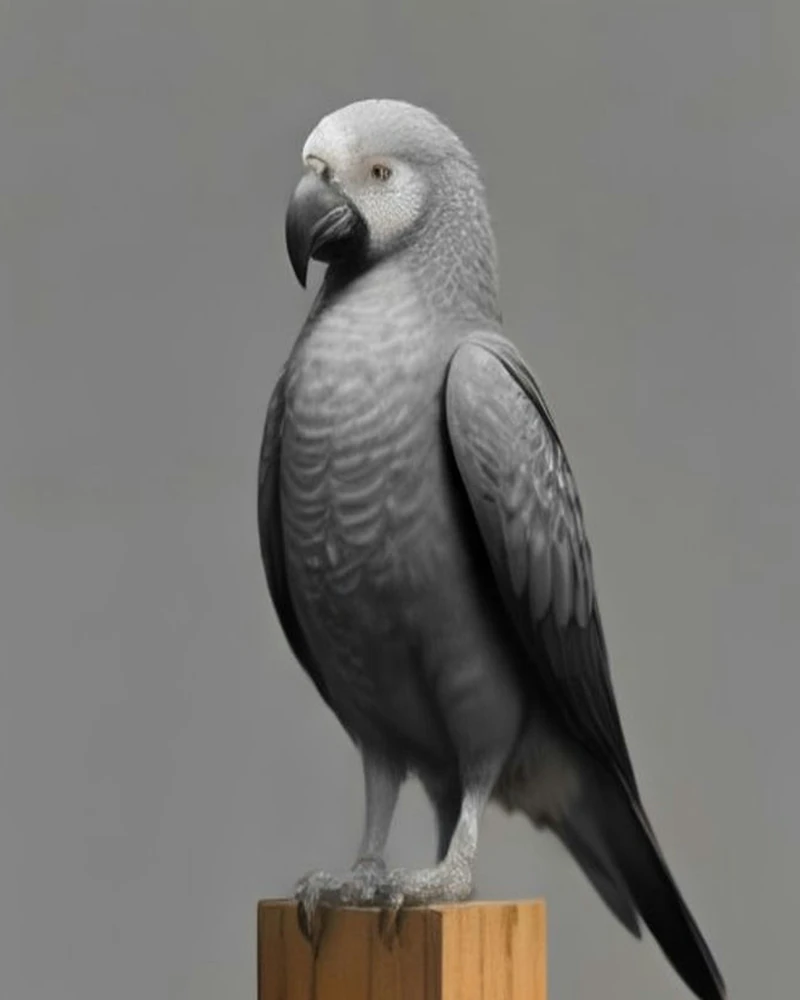
Parrot dance video ideas are short scenes built around one repeatable move — a bounce, a wing flare, a tail sway or a party strut — rendered from a single photo and cut to a beat.
The move is the idea. That sounds obvious, but most people who ask for "ideas" are really asking which dance to choose, and the answer depends on the bird, the occasion and what the clip is for. A cockatiel head bob is a different joke from a macaw wing flare. A gotcha-day announcement wants a slower sway, while a group-chat meme wants the full party strut.
This guide covers the four templates one by one — the motion, the rhythm, the species that read best and the soundtrack that makes the movement land — then maps them to seven concrete video ideas, explains how to film your own reference clip if your bird already has a move, and ends with a recommendation matrix you can scan in ten seconds.
Key facts
- Four templates: Party Strut, Bam Bam Bounce, Wing Flare, Tail Sway.
- One reference clip each, 11–20 seconds long, applied to your photo.
- Two tiers: Standard (Seedance 2 Fast) costs 5 credits per output second and handles clips up to 15s; Premium (Seedance 2.5) costs 10 credits per second and handles up to 30s.
- Tier by template: Party Strut (11s) and Tail Sway (13s) run on either tier; Bam Bam Bounce (19s) and Wing Flare (20s) require Premium.
- Output: as long as the dance clip, 9:16, 720p MP4, no watermark, with a royalty-free track.
- Your own clip works too: MP4 or MOV, 2–30 seconds, up to 40 MB; over 15 seconds needs Premium.
- One bird per video. No people, and no second parrot in the photo.
- The trend track is not included. Add it in TikTok or Instagram after you download.
What a template actually is
A parrot dance AI template is not a filter or a preset of effects. It is a short reference clip of a bird dancing, and the model copies the movement from that clip onto the bird in your photo. The photo decides who is dancing. The clip decides what the dance is.
That distinction explains why templates in this category are short. The model is not asked to invent choreography from a sentence; it is asked to follow a visible example. Motion Transfer describes its parrot scene the same way, with a "prepared reference" supplying the setting, the flock, the camera and the movement while the photo guides the lead pet's appearance [1]. Dreamina's version is the opposite approach — a prompt page where the user describes the barn, the parrots and the wing waves in words [2] — and it shows why a reference clip is useful: words like "dance naturally" leave a lot of room for the model to guess. Media.io reduces the same promise to a single line, turning a pet photo into a funny parrot dance video, and leaves the move to the prompt [3].
The trend is looser than a choreography. The clips circulating on TikTok are short, handheld videos of a parrot bobbing along to a song; the "Apex Parrot Dance Trend" posts carry tags like #apex, #fyp, #parrot and #dancetrend [4], while the Bam Bam steps are taught in human dance clips [5]. An Instagram post from 21 September 2026 already carried the phrase "Ultimate Parrot Dance ai Trend" [6]. What the trend supplies is a beat and a joke. What it does not supply is motion a bird's body can actually perform — which is the gap the four templates fill.
Our templates are chosen to a narrower brief. Each one is a real, AI-generated bird doing a move a bird can actually do: stepping and bouncing, bobbing on the beat, flaring its wings, swaying its tail. Human choreography is deliberately excluded. A shoulder shimmy, a hip pop or an arm wave has no bird equivalent, and asking for one is how you get a parrot with arms. The four shipped clips are credited third-party reels from Instagram (@kennyslowbird), used as motion references with their original audio replaced by our own royalty-free beat — placeholders until we ship our own renders.
The other half of the brief is rhythm. A template clip has to show a beat, because the render is timed to the clip's motion. A bird sitting still gives the model nothing to follow. A bird bobbing to music gives it a pulse, an amplitude and a clear place to start and stop.
The four dances at a glance
| Template | What moves | Rhythm | Best species | Watch out for | Tier |
|---|---|---|---|---|---|
| Party Strut | Side-to-side steps and bounces, small wing lifts | Mid-tempo dancehall strut, one step per beat | Any bird; the trend's most viral look | Crowded steps need a clean background | Standard or Premium |
| Bam Bam Bounce | Head and body bob, small steps underneath | Steady two-beat bounce, mid-tempo | Any bird; the safest first render | Can look repetitive on a very stiff photo | Premium only |
| Wing Flare | Both wings lift and half-spread, plus a half spin | Wide four-count waves | Macaws, amazons, broad-winged birds | Vertical framing can clip wing tips | Premium only |
| Tail Sway | Body and tail swing side to side, tiny steps | Half-time, slower groove | Budgies, lovebirds, small birds | Long tails need room inside the frame | Standard or Premium |
Template by template
Bam Bam Bounce
This is the trend's signature move and the one most people picture when they say "parrot dance": a head-and-body bob that lands on every beat, with small steps underneath. It is also the most forgiving. Because the motion is mostly vertical and centred, a photo with a clean full-body bird and a simple background has very little to go wrong.
- Tier: Premium only — at 19 seconds it exceeds Standard's 15-second ceiling. A render costs 190 credits.
- Rhythm: a steady two-beat bounce at mid-tempo. The move reads best when the kick is audible; a track with a wall of vocals in the first second buries the pulse.
- Best species: any bird, but budgies, monk parakeets and cockatiels look especially good because their whole bodies move with the nod.
- Soundtrack advice: a dancehall or four-on-the-floor loop with a clean low end. Avoid tracks that change tempo in the first three seconds; the render is timed to the reference and a mid-clip tempo change turns the bob into a stumble.
- Production note: the photo needs visible feet. The bounce has weight, and a bird cropped at the legs looks like it is floating.
Party Strut
The opening number: small side-to-side steps with a bounce on every beat, a few wing lifts and a little swagger. It is the most "party" of the four and the reel that started this set, which is why it reads most clearly as the trend: the whole bird moves rather than one part of it.
- Tier: Standard or Premium — at 11 seconds it fits either ceiling; on Standard a render costs 55 credits.
- Rhythm: a mid-tempo dancehall strut, one step per beat. The step needs a clear kick or snare to land on; a wall of vocals in the first second flattens the pulse.
- Best species: any bird, though a bird with visible feet gets the most out of the steps. It is the template to try first when you want the clip that looks most like the trend.
- Soundtrack advice: a four-on-the-floor loop or a dancehall riddim with a clean low end and a steady tempo. The strut is a loop, so a mid-clip tempo change turns the steps into a stumble.
- Production note: the photo needs visible feet and a clean background. The steps are small, and a busy scene hides them.
Wing Flare
Both wings lift away from the body and half-spread on the beat, with a half spin through the move. It is the biggest, most theatrical move of the four, and the one that most clearly separates a bird from a person: a macaw opening both wings is a silhouette no human imitation can match.
- Tier: Premium only — at 20 seconds it is beyond Standard's 15-second limit. A render costs 200 credits.
- Rhythm: wide, half-spread wing lifts on a mid-tempo groove, with a spin on the phrase. The wing beats are large, so they need space between accents; a busy track makes the wings look like they are flapping rather than flaring.
- Best species: macaws, amazons and other broad-winged birds. African greys can carry it too, though the effect is subtler.
- Soundtrack advice: something with a swung, celebratory feel — steel drums, brass stabs or a dancehall riddim with room in the midrange.
- Production note: photograph the bird with both wings folded but visible. A photo where one wing is hidden behind the body tends to render a one-sided flare.
Tail Sway
The body and tail swing side to side with small steps, the slow-dance version of the trend. It is the quietest template and the one that works best when the joke is affection rather than spectacle.
- Tier: Standard or Premium — at 13 seconds it fits either ceiling; on Standard a render costs 65 credits.
- Rhythm: half-time or a slower groove. Fast tracks turn the sway into a jitter, because the model follows the reference's timing rather than the music's.
- Best species: budgies, lovebirds, conures and other small parrots. Long-tailed birds look good here as long as the tail has room to move inside the frame.
- Soundtrack advice: a warm, unhurried track — lovers' rock, a slow dancehall cut, or anything with a clear backbeat and space around it.
- Production note: the move is small, so the bird should fill more of the frame than usual, with the feet and the full tail still visible.
Seven ideas that work with these templates
Each idea below names the template to start with, why the pairing works, and a caption you can adapt. The videos are as long as the dance clip — 11–20 seconds for our templates — so the idea has to be legible before anyone reads the caption.
- The hatchday card. Use Party Strut. A static birthday post is forgettable; eleven seconds of the bird stepping and bouncing on the beat is a card people watch twice. The strut gives the clip a party feel and a natural ending, which is what a birthday post needs. It is also the cheapest full render: 55 credits on Standard. Caption: "Eleven seconds of [name] turning [number] and refusing to sit still for the photo."
- The gotcha-day or adoption announcement. Use Tail Sway. The slower template reads as a happy shuffle rather than a performance, which suits the tone of an adoption anniversary or a rescue milestone. Keep the caption short and let the sway carry the sentiment. Caption: "Meet [name]. [Number] years home today, and still dancing about it."
- The shop's new arrival. Use Bam Bam Bounce or Wing Flare. A pet shop or breeder can post a new bird without filming on the day: one clean photo, one render, one clip for the feed. Wing Flare is the stronger choice for a macaw or a large parrot, because the open wings show the bird's size. Both are Premium renders (190 and 200 credits). Caption: "New arrival. Already has opinions about the playlist."
- The group-chat meme. Use Party Strut on Standard or Bam Bam Bounce on Premium. Eleven seconds on Standard (55 credits) or nineteen on Premium (190 credits), no watermark and a vertical frame make these clips easy to drop into a chat or a story. The joke is the mismatch between a pet bird and a big move, so the caption should undercut it rather than explain it. Caption: "When someone says parrots can't dance."
- The duet or reply bait. Use Bam Bam Bounce. End on a hold and someone can duet or reply with their own bird doing the same move. This is the cheapest way to turn one render into several posts, because the template gives every reply a shared rhythm — though the 19-second clip is a Premium render. Caption: "Your bird's turn. Same beat, same dance."
- The household favourite debate. Use Bam Bam Bounce for one bird and Wing Flare for another. Two Premium renders, one poll: which bird won the beat? It works because the templates are visibly different, so the comparison reads instantly even on mute. Caption: "Two birds. One beat. Settle it in the comments."
- The daily series. Rotate all four templates and number the posts. "Day 12 of dancing until the seed budget runs out" gives viewers a reason to come back, and the rotation stops the feed from repeating the same move. Credits are charged by the tier, so a 19-second Bam Bam Bounce render costs 190 credits on Premium; the 240-credit pack ($20.00) covers one of those, or four 11-second Party Strut renders on Standard. Caption: "Day [number] of dancing until the seed budget runs out."
How to film your own dance clip
If your bird already bobs to a song, you do not need a template — you need a clean clip of the move. The upload accepts MP4 or MOV, 2–30 seconds and up to 40 MB (over 15 seconds needs Premium), and the motion in the clip becomes the motion in the render.
- Catch the move, not a pose. Film when the bird is already reacting: a favourite song, the vacuum, a person it likes. A bird that is mid-bob gives the model a rhythm; a bird that is merely standing there gives it nothing.
- Frame it like a template. Eye level, whole body, one bird, headroom above the crest and space for the tail. No hands in frame, no second bird.
- Lock the camera. Rest the phone on a shelf or against a book. No walking, no zooming, no reframing mid-clip. The model reads camera movement as part of the motion.
- Shoot one take of 5–30 seconds. No cuts, no slow motion, no filters. If the bird stops, keep rolling and trim later.
- Put the beat in the room. Play the song from a speaker behind the phone, loud enough that the bird reacts but not so loud that the phone mic distorts. The clip's timing is the render's timing.
- Trim to the best 5–8 seconds. Start just before the first clear move and end on a hold. A clip that begins mid-move gives the render no warm-up.
- Check the file before uploading. MP4 or MOV, 2–30 seconds, up to 40 MB, one bird, no people. If the clip is longer, trim it rather than speeding it up; anything over 15 seconds also means a Premium render.
What makes a home clip work is repetition: the same move, at least three times, on a visible beat. What breaks it is the same list as a bad photo — hands, other birds, cuts, text overlays and heavy filters — plus one extra: filming the bird from above, which flattens the movement you are trying to capture.
One audio caveat. The site templates ship with a royalty-free track, so the render arrives with its own music. A clip you filmed in a room with a song playing carries that song into the render, and the rights question becomes yours. If you want a soundtrack you do not have to think about, use a template; if you want your bird's own move, film it and treat the audio as a separate decision.
Which template for which bird and scene
| Bird | First pick | Second pick | Scene it fits |
|---|---|---|---|
| Cockatiel | Bam Bam Bounce | Party Strut | Hatchday, crest reveal, reaction clip |
| Budgerigar | Tail Sway | Bam Bam Bounce | Gotcha day, daily series, group chat |
| Macaw | Wing Flare | Party Strut | Shop arrival, size reveal, finale |
| Monk parakeet | Bam Bam Bounce | Tail Sway | Meme, daily series, adoption post |
| Sun conure | Party Strut | Wing Flare | Birthday, celebration, duet bait |
| African grey | Tail Sway | Wing Flare | Anniversary, calm announcement |
| Lovebird | Tail Sway | Party Strut | Couple post, valentine, daily series |
If you only remember one row, remember this: the two short templates are the cheap entry point — Party Strut is 11 seconds and Tail Sway is 13, so both fit Standard (55 or 65 credits) or Premium. The two long ones are Premium-only: Bam Bam Bounce (19s, 190 credits) gives you the trend's signature move and the biggest silhouette change for a crest, Wing Flare (20s, 200 credits) is for big wings.
A three-question decision tree gets you there faster:
- Does the bird have a crest? If yes, Bam Bam Bounce is the first thing to try — a Premium render at 19 seconds.
- Is it a big bird with broad wings? If yes, Wing Flare shows the wingspan on Premium (20s); if it is small, Tail Sway (13s) or Party Strut (11s) will render on either tier.
- Do you want the cheapest first render or the signature move? The cheapest is Party Strut on Standard (55 credits); the signature move is Bam Bam Bounce on Premium (190 credits).
What you get, and what you don't
| Item | What to expect |
|---|---|
| Length | As long as the dance clip: 11–20s for templates; up to 15s on Standard, up to 30s on Premium for your own |
| Tier | Standard (Seedance 2 Fast) or Premium (Seedance 2.5); long clips and the 19–20s templates need Premium |
| Frame | 9:16 vertical |
| Resolution | 720p on both tiers |
| File | MP4, no watermark |
| Audio | Royalty-free music from the template |
| Price | 5 credits per output second on Standard, 2 on Premium; 100 credits $10.00, 240 for $20.00, 650 for $50.00 |
| Payment | One-time; credits never expire |
| Failure | Failed renders are refunded in full |
The honesty section matters more than the spec sheet. The render is a motion transfer, not a recording, so plumage and lighting can shift slightly between frames, and moves that would need human limbs are translated into bird movements. It handles one bird and no people. And the original trend audio is not licensed to us, which is why the render ships with a royalty-free track and you add the trend sound inside TikTok or Instagram, where the platform's licence covers it.
None of that makes the output less useful. It makes it predictable: you know the length, the frame, the audio situation and the failure mode before you spend a credit, which is more than most "AI video" tools tell you.
If the dance is settled, the next variable is the photo — the photo guide covers framing by species and includes a printable checklist. You can browse the reference clips on the templates page, see finished renders on examples, and check the packs on pricing.
FAQ
Can I use the same template more than once?
Yes. A template is a motion reference, not a one-time purchase; each render costs its length in credits at the tier's rate and can reuse any template with any photo. That is how a daily series works: same dance, new photo, the dance's own length each time. Mixing templates across a week also keeps the feed from looking like the same clip over and over.
What is the difference between a template and my own clip?
A template is a prepared, bird-body reference with a royalty-free track, so the motion and the audio are both handled for you. Your own clip is any MP4 or MOV of 2–30 seconds and up to 40 MB (over 15 seconds requires Premium), and the model follows whatever motion is in it — which is powerful if your bird has a signature move, and unpredictable if the clip contains hands, cuts or camera movement. Your clip also brings its own audio question.
How long are the videos?
As long as the dance clip. Our four templates run 11–20 seconds and a clip of your own can be 2–30 seconds, but the tier sets the ceiling: Standard renders up to 15 seconds at 5 credits per output second, Premium up to 30 seconds at 10 credits per second. A very short clip renders short; a 20-second clip on Premium renders 20 seconds. A longer video would need more choreography than a single bird-body move can carry, which is why 30 seconds is the Premium cap and the ceiling is enforced before you spend credits.
Can two parrots dance in one video?
No. The product takes one photo of one bird, and the render is built to keep a single bird consistent. Two birds in the photo make the model choose, merge or invent a third, and the result is usually unusable. If you want a two-bird bit, render each bird separately and cut the two clips together in the platform's editor.
Which template should I try first?
Bam Bam Bounce. It is the trend's signature move, the most forgiving of imperfect photos and the easiest to read on mute — but it is a Premium render (19s, 190 credits). If you want to spend less on a first attempt, start with Party Strut on Standard (11s, 55 credits); once you have a result you like, the second render is where the fun starts: Tail Sway (13s) on either tier, Wing Flare on Premium if your bird has wingspan.
Sources
- Motion Transfer, "Parrot Dance AI Video Generator" — prepared-scene product page describing a fixed reference that supplies setting, flock, camera and movement, with silent output. https://motiontransfer.app/parrot-dance-ai (accessed 2026-11-07)
- Dreamina (CapCut), "Parrot Dance AI Video Generator – Jamaican Bam Bam Pet Trend" — prompt-led trend page describing green parrots, a wooden barn, wing waves, tail sways and a group finale. https://dreamina.capcut.com/ai-video/parrot-dance-ai-video (accessed 2026-11-07)
- Media.io, "Parrot Dance AI Video Generator – Jamaican Bam Bam Pet Trend" — describes turning a pet photo into a parrot dance video against a barn-and-flock scene. https://media.io/ai/explore/zone/parrot-dance-ai-video-generator (accessed 2026-11-07)
- TikTok, @briar401 — "Apex Parrot Dance Trend" post showing parrots bobbing and moving to the beat, tagged #apex #fyp #parrot #dancetrend. https://www.tiktok.com/@briar401 (accessed 2026-11-07)
- TikTok, @zairypertuz — Jamaican Bam Bam dance clips and tags that the pet versions follow. https://www.tiktok.com/@zairypertuz (accessed 2026-11-07)
- Instagram, @perowithus — "Ultimate Parrot Dance ai Trend" post, 21 September 2026. https://www.instagram.com/perowithus/ (accessed 2026-11-07)