How AI Dance Transfer Works (and Where It Breaks)
AI dance transfer takes two inputs: a photo for identity and a clip for motion. How the model works, why human choreography grows arms, and where it breaks.
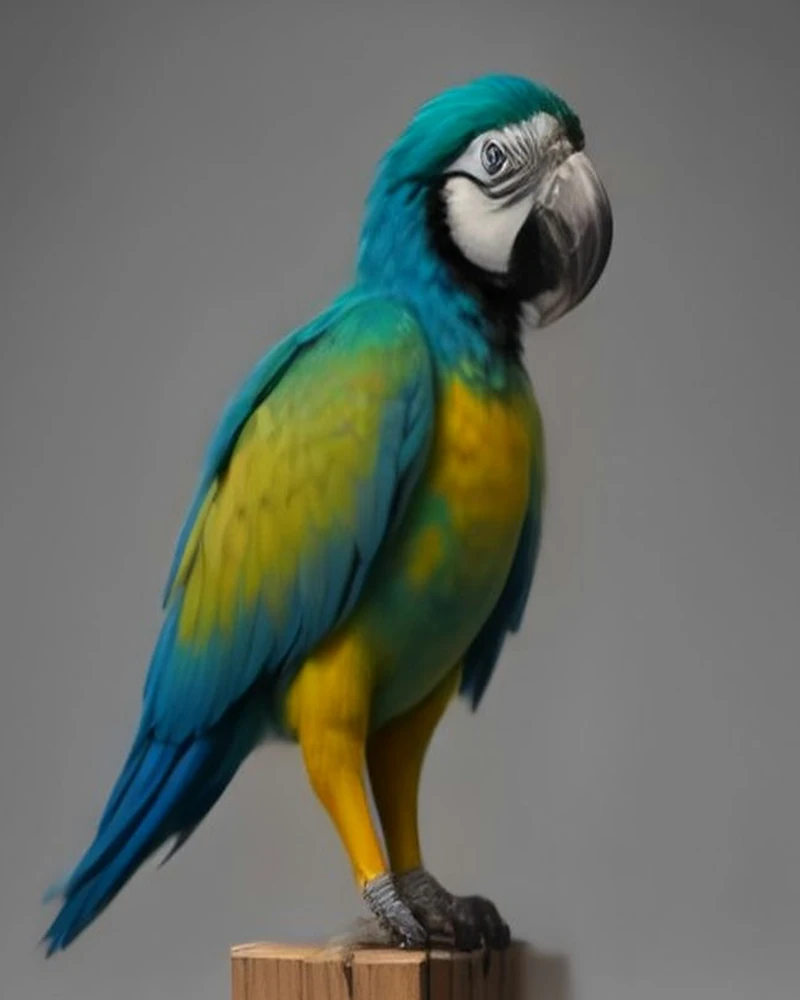
AI dance transfer uses two inputs: a photo that supplies identity and a short clip that supplies motion. The model re-stages the subject to follow the clip's timing and renders a new video as long as the clip — up to 15 seconds on Standard, up to 30 on Premium.
That one sentence explains most of what the category can and cannot do. A model with two inputs has a division of labour, and almost every good or bad result comes from one of the two inputs being unclear. This article is the technical version of that claim: the two-input model, the difference between reference mode and first-frame mode, why our templates are bird-body movement rather than human choreography, the five artefacts you should expect, and the exact vendor model and per-second pricing behind the render as of 7 November 2026.
Key facts
- Two inputs: a photo for identity, a short video for motion. Neither one alone is a dance transfer.
- Two modes: first-frame mode invents the motion; reference mode copies it. They cannot be combined in one request.
- Bird-body movement: human choreography can lead to extra limbs, so the templates use wing, crest, tail and body movement instead. You can also upload a human dance clip with permission.
- The output: 9:16, 720p MP4 as long as the dance clip — up to 15 seconds on Standard, up to 30 on Premium — with the template's royalty-free track and no watermark.
- The models: Standard runs Seedance 2 Fast (list price $0.075 per second at 720p with a reference video) and charges 5 credits per output second; Premium runs Seedance 2.5 ($0.19 per second) and charges 10 credits per output second. The vendor bills reference seconds plus output seconds on both.
- The honest limit: this is an approximation, not motion capture. Plumage and lighting can shift, and moves that need human limbs are translated into bird movement.
The two-input model: identity and motion
A reference-to-video model is conditioned on two things at once. The image conditions it on what the subject looks like; the video conditions it on how the subject moves. The output is a new sequence that has to satisfy both, frame by frame.
parrot photo  --> identity reference --+
                                       +--> reference-to-video model --> up to 15s / 30s / 9:16 / 720p MP4
dance clip   --> motion reference   ---+
The division is worth taking seriously rather than treating as marketing language, because it tells you which input to fix when the result is wrong.
| Input | What it controls | What it cannot control |
|---|---|---|
| The photo | Species, feather pattern, beak shape, eye ring, crest, perch, background | What the bird does, how fast, or in what order |
| The clip | Timing, amplitude, order of moves, camera behaviour, shot length | What the bird looks like, or whether it is the same species |
The photo is not pasted onto the video. Nothing is composited, tracked or masked in the traditional sense. The model generates every frame from scratch, using the photo as a condition, which is why it can animate a bird that was never filmed moving — and also why the plumage is re-drawn rather than copied.
This is the part most product pages leave out. A face swap has a source face and a target frame; a dance transfer has a still image and a motion example, and no target frame at all. The model has to invent the in-between. That is a much harder problem, and the artefacts in the second half of this article are the visible cost of solving it.
Reference mode versus first-frame mode
There are two common ways to drive a video model from an image, and they produce different kinds of video. The difference is not cosmetic; it determines whether the output can actually dance.
| Feature | First-frame mode | Reference mode |
|---|---|---|
| What you send | One image, plus a text prompt | One image plus one video, and optionally an audio reference |
| What sets identity | The image | The image |
| What sets motion | The prompt and the model's learned prior | The frames of the reference clip |
| Output length | 4–15s on Standard, 4–30s on Premium | 4–15s on Standard, 4–30s on Premium |
| Failure signature | Plausible but generic movement; the rhythm is wrong | Identity drift when the reference moves hard |
| Used for a dance here | No | Yes |
First-frame mode is the right tool for "make this photo come alive". It is the wrong tool for "make this bird do that dance", because the model has no idea what "that dance" is. You can describe it in a prompt — a bounce, a wing lift, a spin — but describing motion is not the same as supplying it, and the output drifts toward whatever motion the model finds most likely for a bird. You get a moving parrot, not a parrot performing a specific routine.
Reference mode gives the model the motion directly. The clip is the choreography: its frame count sets the length, its pace sets the beat, its camera sets the shot. The prompt still matters, but it is doing a different job — locking identity, forbidding extra limbs, keeping the camera still — rather than inventing movement.
The two modes are mutually exclusive in a single request. On both Seedance models, the multimodal reference fields cannot be combined with first_frame_url or last_frame_url; if you send both, the API rejects the request rather than blending the two. This is why the product has one code path, not a switch: every render we sell is a reference render, because every render has to follow a dance.
One practical footnote for anyone building on the same API: the 2.5 model rejects an explicit aspect_ratio in first-frame mode and accepts only adaptive, because the input frame's shape wins. That is a small example of how a model upgrade is not always a drop-in replacement, even when the endpoint shape looks the same.
Why the templates are bird-body movement
A reference-to-video model does not know what a parrot's skeleton is. It knows what motion looks like in the data it was trained on, and much of that data is people. When you hand it human choreography and a bird photo, it does not conclude "birds cannot do this". It tries to satisfy both inputs, and the cheapest way to do that is to give the bird the human parts the motion implies.
This is not a bug in one model. It is the predictable behaviour of a model with a human motion prior. The failure is specific and repeatable:
| Reference motion | What the model tries to do | What the template does instead |
|---|---|---|
| Arm wave | Extends a limb from the wing joint and adds a hand | Wing Flare: both wings lift and half-spread on the beat |
| Headbang with long hair | Adds hair and a human neck; the crest becomes hair | Bam Bam Bounce: the head and body bob on every beat |
| Hip sway or body roll | Adds a waist and hips where a bird has neither | Tail Sway: body and tail move against each other |
| Jump | Adds legs, a floor contact and a landing | Party Strut: side-to-side steps and bounces |
| Group choreography | Adds extra dancers, extra birds, or both | A single-bird clip with a held camera |
That table is the reason the four templates exist. Every one of them is a motion a parrot can actually produce: head bobs, wing flares, tail swings and small steps. The model is not being asked to translate a human dance onto a bird, because there is nothing to translate. It is copying a bird dance onto a bird.
The trade-off is variety. Four routines cannot cover every dance, so you can also upload your own clip, including a person dancing with their permission. Human movements are interpreted as bird movements rather than copied literally, and they may produce anatomy errors. A clear, steady clip makes the motion easier to follow, but the result can still vary.
The four shipped clips are credited third-party AI-generated parrot-dance reels from Instagram (@kennyslowbird), used as motion references with their original audio replaced by our own royalty-free beat. They are placeholder footage until we ship our own renders.
Five artefacts and what causes them
An artefact is any visible wrongness that comes from the generation process rather than from your input. These five are the ones worth knowing before you render.
| Artefact | What you see | Cause | What reduces it |
|---|---|---|---|
| Plumage drift | Barring, cheek patches or an eye ring shift a few pixels per frame | Every frame is synthesised, so fine detail is re-drawn instead of copied | A sharp photo, a large subject, even light |
| Beak and eye softening | The beak edge softens; the eye ring loses its shape | Small high-contrast features get the fewest pixels at 720p | A front-facing head, a clean beak edge, no backlight |
| Extra limbs | A hand, elbow, sleeve or shoulder appears | A human motion prior meeting a human reference clip | Use a bird-body template; never use a person dancing |
| Wing and tail smear | Feather tips melt or duplicate during fast turns | Occlusion plus motion blur at video frame rates | A slower template; a hold on the final pose |
| Background warp | Barn planks bend, string lights drift, cage bars wobble | The model re-renders the scene and matches its lighting to the reference | A plain background; keep straight lines away from the bird |
One more failure comes from the photo rather than the model: a duplicate bird. If the photo contains two parrots, or a mirror, the model can carry the second silhouette into the render. The product accepts one bird per photo for exactly this reason, and the fix is a crop or a new photo, not a retry.
Two of these are worth planning around. Plumage drift is the one that decides whether the video reads as your bird; a large, sharp, evenly lit subject is the single biggest improvement you can make. Extra limbs are the one that ruins the joke; they come from the reference, and prompt tuning alone does not remove a human motion prior.
Honest limitations
Motion transfer is an approximation. The model does not track your bird's body, measure its joints, or reconstruct a 3D skeleton. It generates a sequence that looks like your bird doing something like the dance. Most of the time that is enough for a short clip. Some of the time it is not, and the difference is usually visible in the first second.
Here is what we do not claim, stated plainly so that no one buys the product expecting otherwise:
- Frame-exact reproduction. The dance reads as the template or clip you chose; it is not a frame-for-frame copy.
- Pixel-identical plumage. Markings can shift slightly, especially during fast movement or when the photo is soft.
- Any dance transfers. Moves that need human limbs are translated into the nearest bird movement, not reproduced.
- The trend audio. The original Jamaican Bam Bam recording is not licensed to us and is not in any render.
- A flock, a person, or a second bird. One parrot per photo, no people in frame.
- 1080p. The product sells 720p, and the next section explains the arithmetic behind that.
What we do claim is narrower and, we think, more useful: the bird is recognisable, the dance is readable, the timing follows the clip, the file is vertical 720p MP4 as long as your dance clip (up to 15 seconds on Standard, up to 30 on Premium), the template music is royalty-free, and there is no watermark. A tool that hides its failure modes gets one impressive demo and no repeat users. We would rather set the expectation and keep the customers who read it.
Why two tiers, 720p and 9:16
The spec is not arbitrary. Each number is a compromise between how short-form video works and what the render costs.
- Two tiers, one length rule. The output is as long as the dance clip you pick, and the clip's length decides the tier: Standard (Seedance 2 Fast) renders up to 15 seconds at 5 credits per output second; Premium (Seedance 2.5) renders up to 30 seconds at 10 credits per output second. Our 11-second Party Strut and 13-second Tail Sway run on either tier; the 19-second Bam Bam Bounce and 20-second Wing Flare need Premium. The vendor charges for the reference clip plus the output, so a 13-second reference plus a 13-second render bills twenty-six billable seconds on either model — the tier sets the rate, not the billing formula.
- 720p on both tiers. Vertical feeds compress hard, and 720p is sharp at phone size. Scaling a tier to 1080p is not a small increment: on Seedance 2.5, 1080p with a reference video lists at $0.475 per second, so a 13-second reference plus a 13-second output would cost $12.35 in vendor fees alone — nearly all of the $13 that 26 Premium credits cost at the Starter rate, and more than they cost at the Studio rate, before payment processing. 720p is the resolution that keeps both tiers viable.
- 9:16. The output is built for TikTok, Reels and Shorts, where the video fills the screen. The model accepts 9:16, and there is no letterboxing to crop in the editor.
- MP4, H.264, no watermark. The file has to upload to every platform without a conversion and without a logo over the bird. A watermark would be the first thing a customer crops, so it would only add friction.
The same arithmetic explains the tier ceilings. A 30-second reference plus a 30-second output on Premium bills 60 billable seconds — 300 credits at 10 credits per second. That is still a paying render, but it is the worst case the price has to survive, which is why the 30-second cap is enforced before the charge. Standard stops at 15 seconds for the same reason: a 15-second Fast render bills 30 seconds, and 75 credits at 5 credits per second.
The models and the price per render
We render on two Seedance models through KIE: Seedance 2 Fast for Standard and Seedance 2.5 for Premium. The table below is the vendor's list price captured on 7 November 2026, per billable second with a reference video, at each resolution. These are not the prices customers pay; they are the costs the product price has to cover.
| Model | Resolutions priced | Reference inputs | 480p | 720p | 1080p | Role here |
|---|---|---|---|---|---|---|
| Seedance 2 Fast | 480p and 720p | Image, video and audio references; up to 3 clips, 15s total | $0.034 | $0.075 | — | Production — Standard tier |
| Seedance 2 | 480p, 720p and 1080p | Video reference supported | $0.0575 | $0.125 | $0.31 | Not used |
| Seedance 2.5 | 480p, 720p and 1080p | Up to 30 images, 10 videos and 10 audio references | $0.085 | $0.19 | $0.475 | Production — Premium tier |
Three details in that table matter more than the rest. Fast is the cheapest 720p reference rate here — $0.075 per second, which is what makes a 5-credit Standard second possible. 2.5 costs about 2.5 times as much at $0.19 per second, and it is the model behind the 30-second Premium ceiling, which is why Premium charges 10 credits per second. Both vendors charge the reference seconds as well as the output seconds, so either tier bills roughly twice its finished length: the tier sets the rate, the clip sets the billable seconds.
Fast takes 4–15s of output at 480p or 720p; 2.5 takes 4–30s up to 1080p. That capability gap is the tier boundary: any clip we can render in 15 seconds or less can go on Standard, and anything longer needs Premium. The dash in the 1080p column for Fast means the model does not offer that resolution.
That billing formula is worth writing out, because it is the reason credits are charged by the second:
Billable seconds = reference clip length + output length.
At the two 720p reference rates — $0.075 on Fast and $0.19 on 2.5 — with the output as long as the reference (and the shipped reference clips trimmed to exactly 11, 13, 19 and 20 seconds so the bill is a clean multiple of the output length), the render costs work out like this:
| Reference clip | Output | Billable seconds | Cost on Seedance 2 Fast (Standard) | Cost on Seedance 2.5 (Premium) |
|---|---|---|---|---|
| 5s | 5s | 10 | $0.75 | $1.90 |
| 11s (Party Strut) | 11s | 22 | $1.65 | $4.18 |
| 13s (Tail Sway) | 13s | 26 | $1.95 | $4.94 |
| 19s (Bam Bam Bounce) | 19s | 38 | — (Premium only) | $7.22 |
| 20s (Wing Flare) | 20s | 40 | — (Premium only) | $7.60 |
| 30s (upload ceiling) | 30s | 60 | — (Premium only) | $11.40 |
Fast is cheaper per second, but its 15-second ceiling means the 19-second Bam Bam Bounce and 20-second Wing Flare can only run on Premium. That split is the whole tier design. A 13-second Tail Sway on Standard costs $1.95 in vendor fees, and sells for 65 credits — $6.50 at the Starter rate. The same 13-second clip on Premium costs $4.94 in vendor fees and sells for 130 credits — $13.00. A 20-second Wing Flare on Premium costs $7.60 and sells for 200 credits. Across the three packs, those renders keep the gross margin in the 48–69% band.
KIE bills in credits at roughly $0.005 per credit and does not charge for failed tasks. Our side of that is simple: a failed render costs the vendor nothing, and the full credit charge is refunded to the customer. The commercial model — 5 credits per output second on Standard and 2 on Premium, sold as 100 credits for $10.00, 240 for $20.00 and 650 for $50.00 — is built on the worst case in the table, not the best one. If you want the customer-facing version, the pricing page has the packs, and the step-by-step tutorial shows how the inputs are prepared. To see the whole pipeline on your own bird, start at the generator, or browse the four templates first.
Glossary
| Term | What it means here |
|---|---|
| Identity reference | The still image that tells the model what the subject looks like: species, plumage, beak, eyes, background. |
| Motion reference | The short clip that tells the model how the subject moves: timing, amplitude, order of moves, camera. |
| Reference-to-video | A model mode that accepts an image and a video together and generates a new video conditioned on both. |
| First-frame mode | A model mode that accepts one image and generates motion from a prompt, without a motion example. |
| Multimodal reference | A reference request that can carry images, video and audio at the same time. |
| Motion prior | The model's learned expectation of how bodies move, which is mostly human and is why arms appear. |
| Temporal consistency | Whether the same details — markings, beak, eye ring — stay stable from frame to frame. |
| Artefact | A visible error produced by the generation process rather than by the input. |
| Billable second | One second of reference or output that the vendor charges for; a 13s template render plus its 13s reference is 26 billable seconds. |
FAQ
Is AI dance transfer the same as motion capture?
No. Motion capture records a real body with markers, sensors or cameras and drives a rig with that data. Dance transfer generates new frames from a photo and a clip, with no tracking and no rig. The output can look convincing, but it is a synthesis, not a measurement, which is why small details drift.
Why does my parrot grow arms?
Because the model's motion prior is mostly human, and a human reference clip supplies human motion. When the two inputs disagree about what a body can do, the model often resolves the conflict by adding the missing parts: a shoulder, an elbow, a hand, a sleeve. The fix is to use a bird-body template, or to upload a clip of a bird moving rather than a person dancing.
What is the difference between Standard and Premium?
Standard runs Seedance 2 Fast at 5 credits per output second, 720p, for dance clips up to 15 seconds. Premium runs Seedance 2.5 at 10 credits per output second, 720p, for clips up to 30 seconds. The output length rule is identical — it follows the clip — so the tier buys the model, the longer ceiling and the rate. Our 11-second Party Strut and 13-second Tail Sway can run on either tier; the 19-second Bam Bam Bounce and 20-second Wing Flare require Premium.
Why is the video only 720p?
Because 1080p with a reference video costs more per second than either tier can recover. On Seedance 2.5, 1080p lists at $0.475 per second; a 13-second reference plus a 13-second output is 26 billable seconds, or $12.35 in vendor fees before payment processing — nearly all of the $13 that 26 Premium credits cost at the Starter rate, and more than they cost at the Studio rate. On Standard the ratio is worse still: Seedance 2 Fast does not offer 1080p at all. 720p keeps both tiers viable and is sharp enough for vertical feeds.
Can the model keep my bird's exact feather pattern?
Approximately, not exactly. The model re-draws the plumage every frame, so barring, cheek patches and eye rings can shift slightly, especially during fast movement. A sharp photo with the bird filling a good part of the frame, even lighting and no backlight gives the model the most detail to hold onto. A soft or distant photo gives it room to improvise.
Does the model hear the music?
Not in the way a dancer does. In our pipeline the motion comes from the reference frames, not from the audio waveform. Our templates' original audio is replaced with our own royalty-free beat, so the movement and the track we ship were not produced together; the render carries that track and the motion follows the clip. If you replace the audio afterwards, the motion will still be timed to the original clip rather than to the new song — which is why the trend sound is added in the app, on top of a render that already has a beat.
Sources
- KIE pricing — model list, credit rate and billing rules, accessed 2026-11-07.
- KIE Seedance 2.0 model page — Seedance 2 and 2 Fast per-resolution pricing, accessed 2026-11-07.
- KIE Seedance 2.5 model page — 2.5 capabilities and pricing, accessed 2026-11-07.
- KIE Seedance 2 Fast documentation — reference-video parameters, duration, resolution and mode exclusivity, accessed 2026-11-07.
- KIE Seedance 2.5 documentation — multimodal reference limits and first-frame aspect-ratio behaviour, accessed 2026-11-07.
All prices in this article are vendor list prices in USD captured on 2026-11-07, not customer prices. Vendor pricing can change; the product price is set independently and is listed on the pricing page.